AI Video Morphing - Transform Images into Captivating Videos
Create stunning AI morphing videos by transforming 4 images into captivating animations. Professional quality with no design skills required.
Seamless AI Video Morphing and Image Blending
Our cutting-edge technology ensures perfect blending between 4 different images to create the ultimate AI Video Morph effect.
Rapid Generation
Enjoy quick and efficient AI Video Morph art generation, delivering impressive results in just a matter of minutes.
Create beautiful videos effortlessly with our AI Video Morph tool
The AI Video Morph tool helps you create stunning images from text prompts and a video input, which can be useful for various purposes such as marketing, content creation, and personal projects. It ensures you have high-quality visuals to enhance your work.
To get the best results, provide 4 high quality input photos. The better quality your input, the more accurate and visually appealing the generated video will be.
How to Generate AI Video Morph Videos on WarpVideo AI
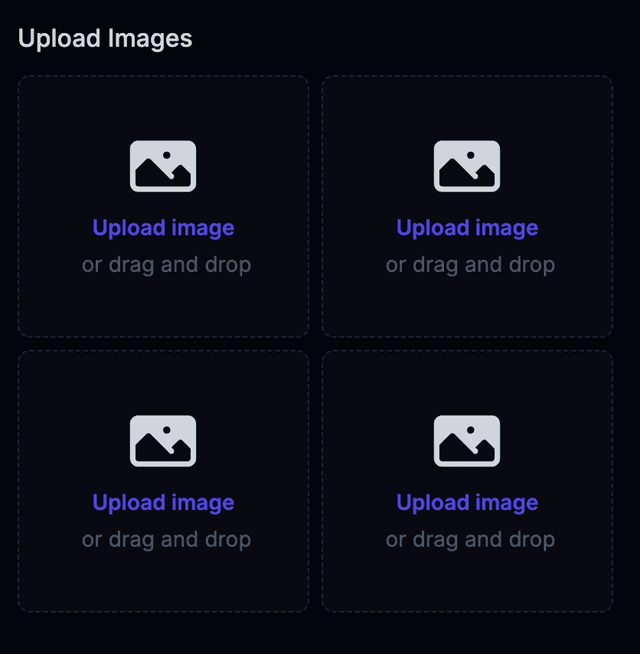
Upload Your Images
Upload your 4 images to the platform. JPG, PNG, and WebP formats are supported.
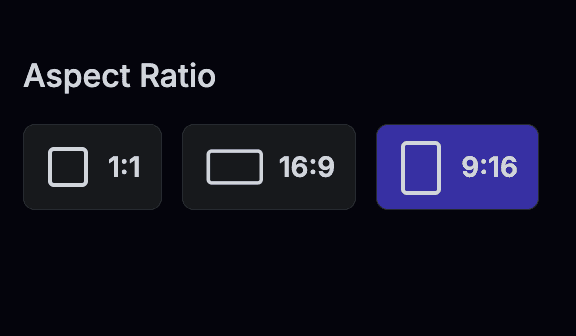
Choose Aspect Ratio
Select your preferred aspect ratio for the output size of the AI Video Morph output. 9:16 is the original and most popular aspect ratio.

Generate Your Video
Quickly generate and download your new creation. You will receive an email when your morph generation is finished. It will take less than 10 minutes!
Explore Other AI Tools
Get started with a variety of AI tools to explore your creativity.
Diverse Real-World Applications of ai video morphing
Marketing & Content Creation
Discover how marketers and content creators use ai video morphing to enhance visual storytelling. By blending multiple images into engaging videos, you can produce captivating social media content and marketing campaigns quickly and easily without needing advanced design skills.
Personal & Creative Projects
Learn how hobbyists and creative enthusiasts turn everyday moments into dynamic video art with ai video morphing. This section highlights personal projects that use simple image uploads to create memorable visual stories and artistic expressions.
Step-by-Step Guide to Creating ai video morphing Videos
Getting Started
Begin with a simple guide that outlines the basic steps for using ai video morphing. Walk users through uploading images, selecting aspect ratios, and initiating the video generation process in clear, friendly language.
Customizing Your Effects
Learn how to adjust parameters like transition speed and style to fine-tune your ai video morphing projects. Detailed tips help you make the most of manual controls to achieve a personalized and professional look.
Optimizing Input Quality
Understand the importance of using high-quality images when creating ai video morphing videos. The guide explains how image resolution and lighting impact the final output and offers advice on best practices.
Pro Tips and Best Practices for ai video morphing
Ensuring Optimal Input Quality
Discover why high-resolution images and proper lighting are critical for successful ai video morphing. These practical guidelines help ensure that the blending process produces a smooth, visually appealing video outcome.
Mastering Transition Customization
Learn how to leverage adjustable transition speeds and varied styles effectively. This advice demystifies the customization process for ai video morphing, giving you clear tips to enhance the visual flow of your videos.
Using Consistent Styles
Consistency in image style and background can improve the overall coherence of your ai video morphing results. Follow actionable tips to maintain a uniform aesthetic that complements your brand or creative vision.
Ready-Made Templates for ai video morphing
Pre-Made Video Templates
Browse a selection of customizable video templates designed specifically for ai video morphing. These templates allow you to quickly generate captivating videos, providing a head start on your creative projects.
Customizable Assets and Overlays
Access a variety of assets such as overlays, filters, and effects that integrate seamlessly with ai video morphing. Customize these elements to match your personal style or brand guidelines without any design expertise.
Join the AI Video Morphing Community & See Real Results
Connect with creators, share your work, and discover inspiring AI Video Morphing projects from our community.
Real User Testimonials on AI Video Morphing
Hear directly from users who have transformed their creative ideas with our AI Video Morphing tool. Their stories emphasize how effortless image blending and rapid generation have consistently delivered stunning results, echoing the high quality promoted throughout our site.
"The AI Video Morphing tool is incredible! I created a stunning transition video in minutes that would have taken hours manually."
- Sarah M., Content Creator
Creative Community Insights on AI Video Morphing
Join our vibrant community of creators who share tips, tricks, and inspiring projects using AI Video Morphing. This exchange of ideas not only builds trust but also inspires new users to explore all the creative possibilities our tool offers.
Engage and Share Your AI Video Morphing Creations
We encourage users to share their AI Video Morphing projects for feedback and inspiration. Showcasing real-world results reinforces the ease of use and effectiveness of our tool, motivating new users to join our creative network and start their own journey.